
What is ZED travel? A plain guide for new airline employees
ZED is the agreement that lets airline staff fly other airlines at reduced, distance-based fares, almost always on standby. Here is how it works.
Finding the path there was. InterlineConnect is an iPhone app that shows routes beyond your own airline’s network, at the connection time you set.
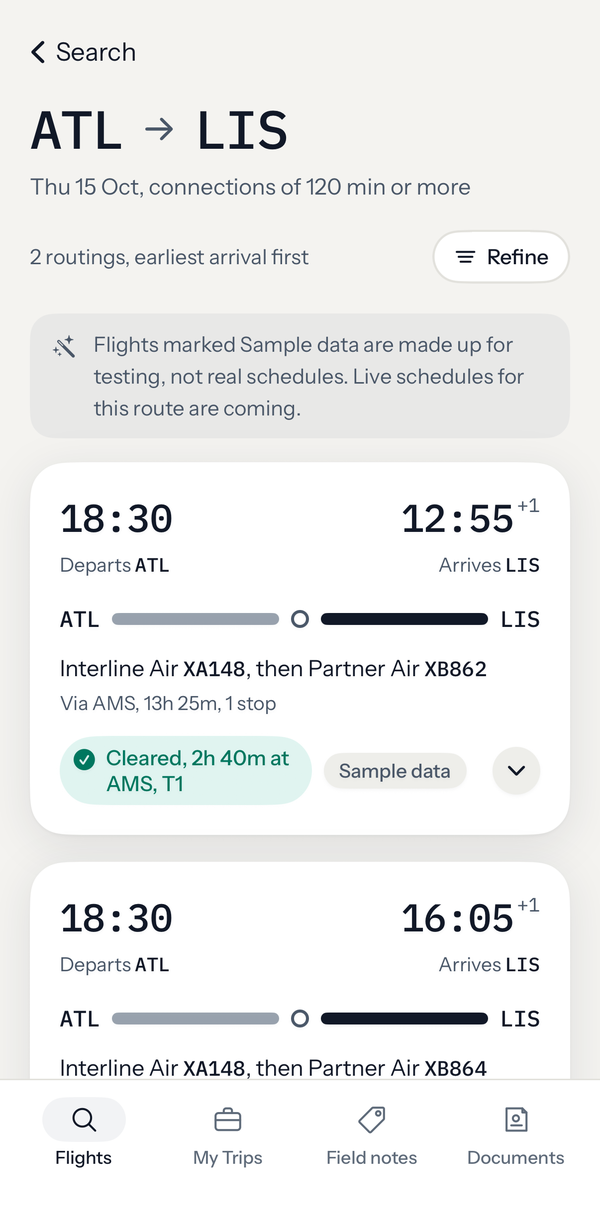
Each leg, where you change planes, and how long you have there, checked against the connection time you set.
Sample route.
Employer travel tools are built around their own network first. Interline and partner agreements open routes you may never have considered, across carriers, connection points and ZED fares, but little of it is visible in one place.
So places go unvisited. Not because they are out of reach, but because the path there was hard to see. What gets flown is usually the part that was easy to find.
InterlineConnect is built to make the rest visible, and to tell you what it takes to make each connection.
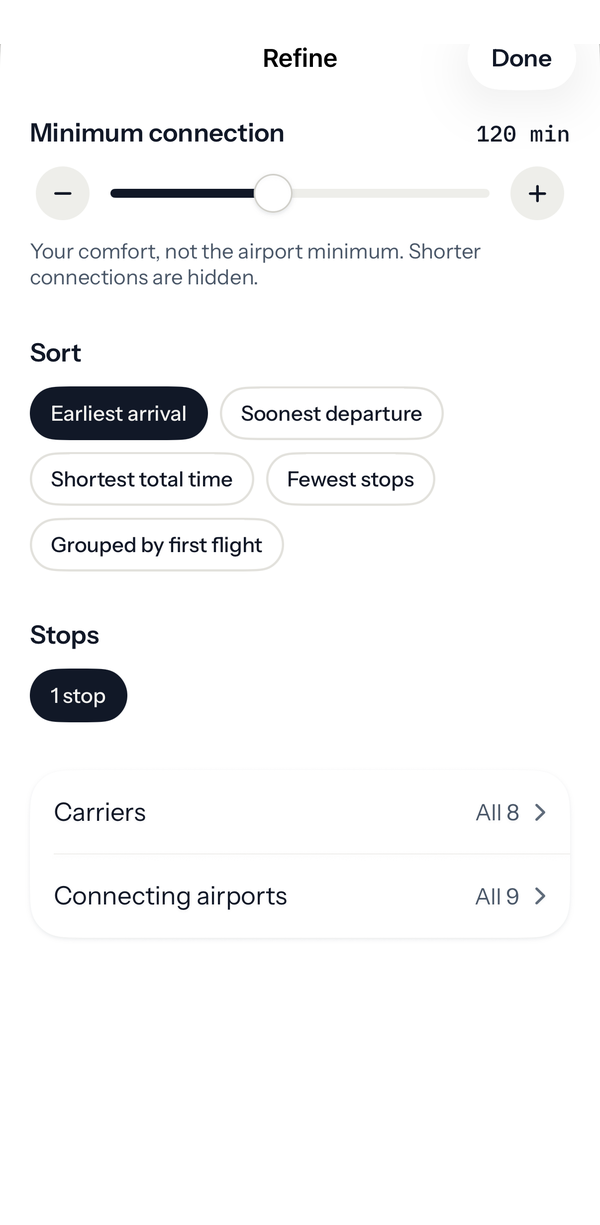
Enter an origin, a destination and a date. InterlineConnect shows multi-carrier routings, then lets you set the connection time you are comfortable with, instead of a fixed rule from one airline’s system.
On separate tickets a connection is not protected, so the standard minimum is not always enough. You decide what is comfortable, and routings that do not fit your time are hidden.
Choose a routing and it becomes one trip, with every flight, layover and terminal change laid out together. Keep a main option and the backups beside it.
Saved trips are meant to be checked again against schedules as the date gets closer. In this beta those checks are simulated.
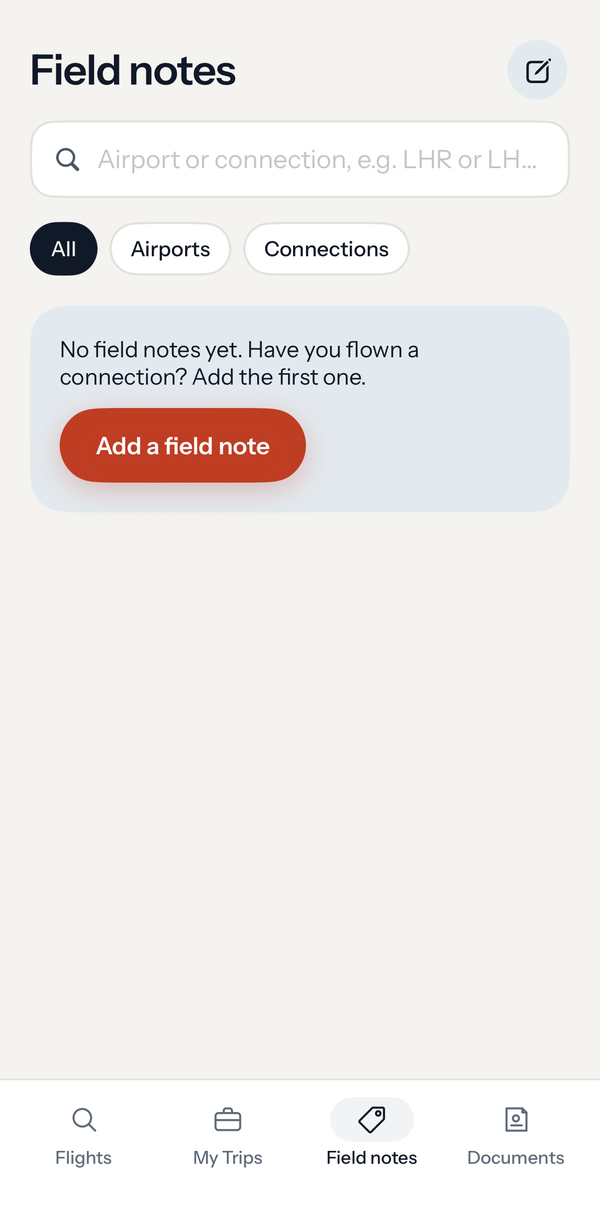
Knowing a route exists is not the same as knowing how to fly it. Field notes keep what travelers have learned at the exact connection it applies to, dated, so you read it when you need it.
Notes are about connections, never about loads. The beta starts with none, and the first ones come from the people who join.
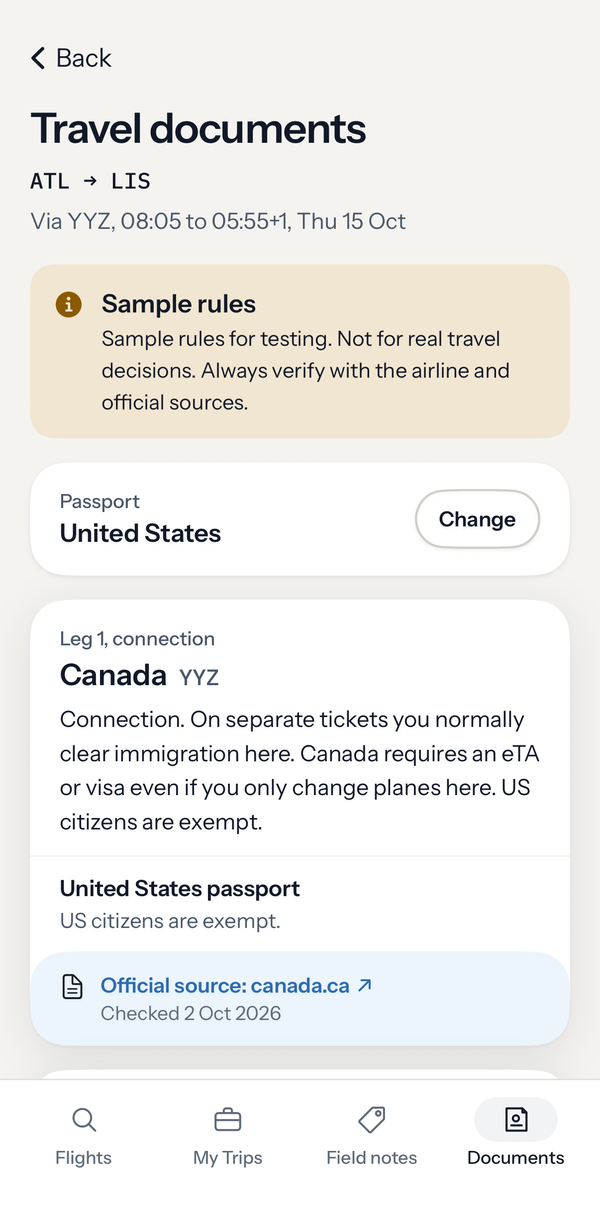
A first check on visa, transit and unaccompanied minor questions for every leg and passport, shown when a routing is found, with where to confirm before you fly.
Stops we have checked name the official source and the date. Everywhere else the app says the rules are not verified yet. Rules change, so verify before you fly.
ZED is the agreement that lets airline staff fly other airlines at reduced, distance-based fares, almost always on standby. Here is how it works.

Each letter on an availability display is a booking class, and the number is seats the airline will still sell, capped at 9. Here is how to read it.

Booking class letters sort an airline's fares and cabins. Several share one cabin, and each airline maps its own. Here is how to read them correctly.
The beta is small and by invitation. Tell us a little about how you fly, and when there is a place for you, we will write to you.
InterlineConnect is in private beta on iPhone.